How to use Diamond Watcher

How to Use Diamond Watcher

Diamond Watcher Tips and Guides

    Often times we see the same diamond listed at multiple retailers. How do you know it's the same exact diamond? By the listed certificate (GIA, IGI) ID.

    1. Enter your search parameters. Results will show in the table below.
    2. Look out especially for what appears to be the same diamond (dimensions, 4C's, etc) listed on multiple retailers at different prices.Diamond results table
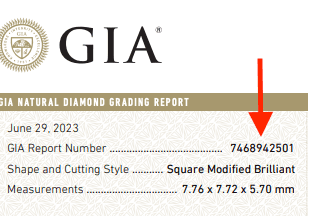
    3. Confirm that these are the exact same diamonds by clicking through to each of the website links. View each certificate and verify that the unique "Report Number" matches on both retailer websites:
      Diamond results table

    If you'd like some help with this, feel free to Join our Discord Community!
    Note: You must be logged in to use this feature.

    1. First things first, create a free account.
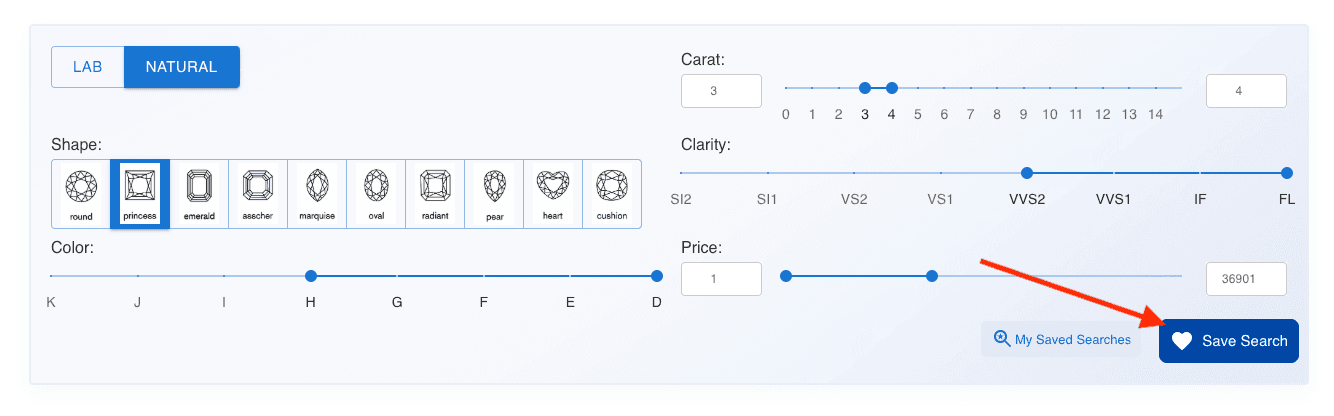
    2. After you have adjusted your search parameters, click on the button to "Save Search"Saving your diamond search - step 1
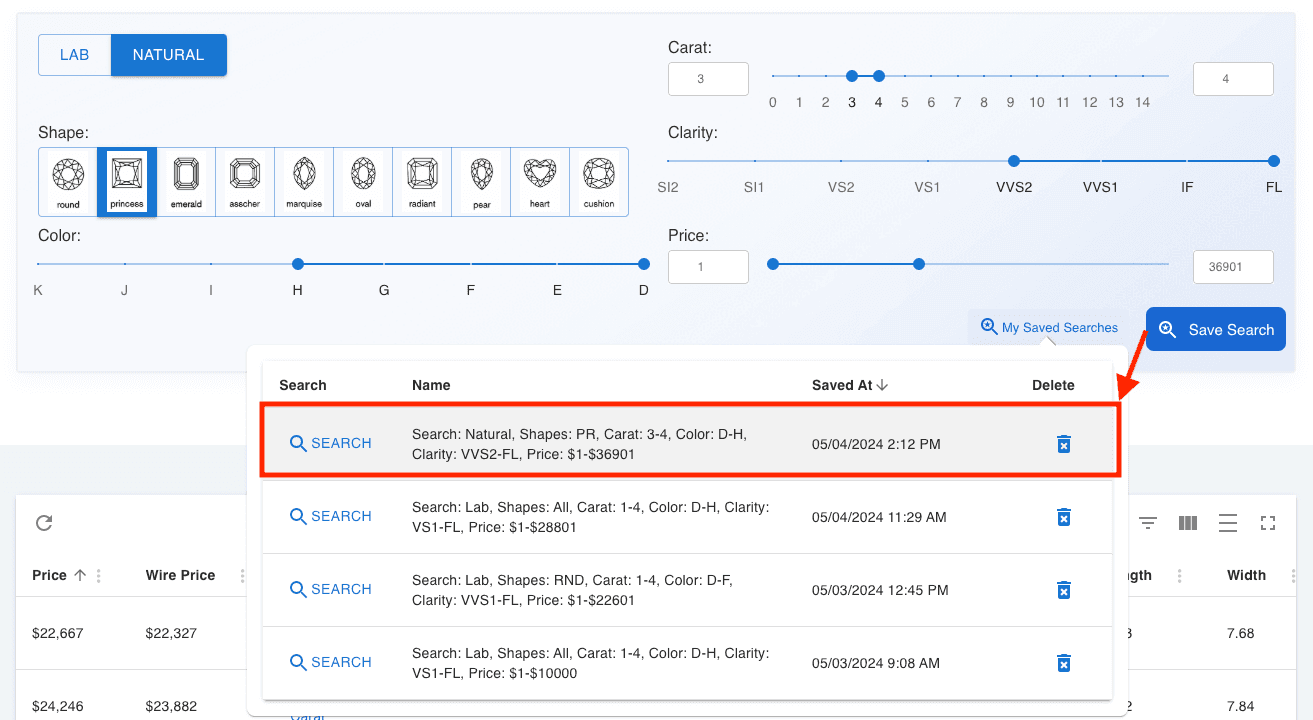
    3. Your search parameters will automatically be saved and appear in the Saved Searches table.Saving your diamond search - step 2
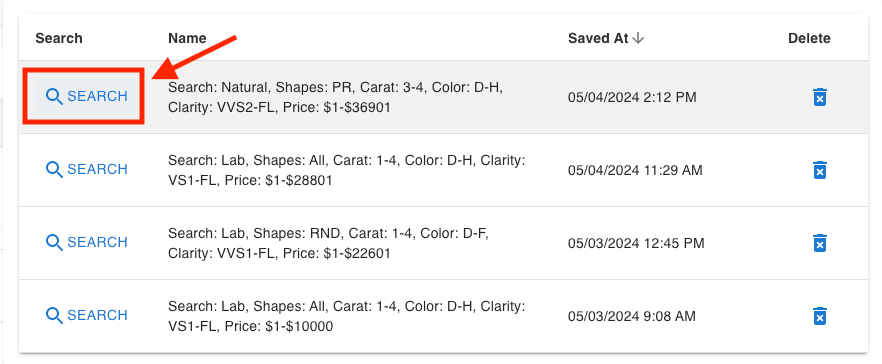
    4. At any time, you can easily click on "My Saved Searches" to see a list of your searches. Within any row, click "Search" button to re-populate the parameters and perform the search.Saving your diamond search - step 3

    If you'd like some help with this feature, feel free to Join our Discord Community!
    Note: You must be logged in to use this feature.

    1. First things first, create a free account.
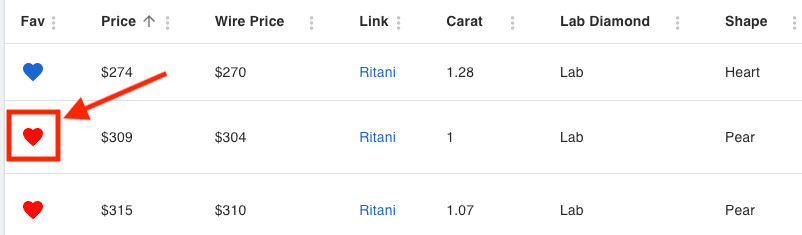
    2. Once logged in, you can click the "heart icon" next to any diamond in your search results. This will highlight the heart, and save the diamond to your favorites list.Saving your diamond favorites - step 1
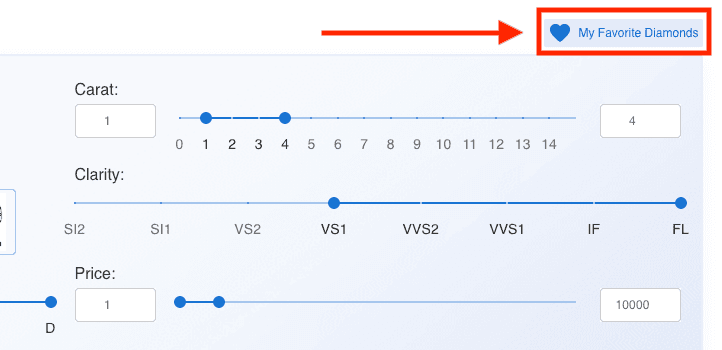
    3. At any time you can return to see all your favorite diamonds by clicking on "My Favorite Diamonds" or simply navigating to the Favorites URL.Saving your diamond favorites - step 2